Cut. Mix.
Export. Done.
A lightweight, free video editor for Windows. Assemble clips, trim, add transitions, mix an audio track and export — without a multi-gigabyte install.
917 downloads
Installer (per-user, no admin rights) or portable — unzip and run.
Requires FFmpeg to be installed and available in your PATH.
The easiest way is to open a terminal and run winget install ffmpeg,
then restart the app.
(FFmpeg is free and installed separately.)
Without FFmpeg in your PATH, the app won't start — it needs it for import, playback and export.
Trouble setting the PATH? See this guide.
Antivirus warning: MiniMediaEdit is an unsigned Python build, and some antivirus engines flag this kind of executable as a false positive. The app contains no malware — verify it on the VirusTotal report.
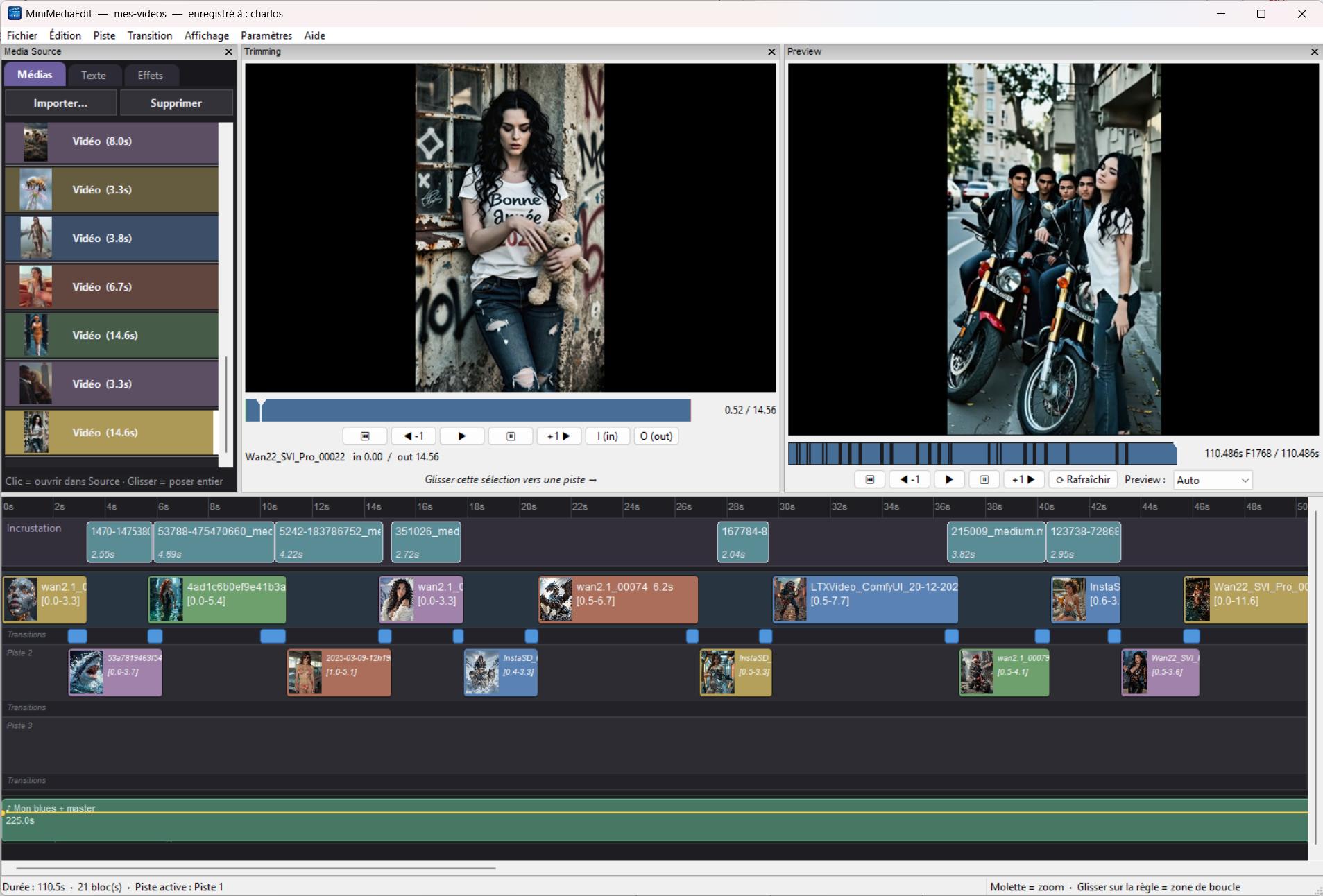
Everything you need for a quick edit, nothing you don't.
Multitrack timeline
Stack video tracks and a dedicated audio track. Drag, trim and split clips freely.
Transitions & audio
Fades, wipes, slides and more between tracks, plus per-point audio volume automation.
Fast export
H.264 / H.265 / VP9 with hardware acceleration (NVIDIA, Intel, AMD) when available.
Portable projects
Each project is a self-contained folder. Move it, archive it, back it up — nothing breaks.
English & French
Bilingual interface, auto-detected from your system and switchable in the settings.
Free, no limits
Fully functional, watermark-free, forever. Donateware — see below.
Free today, free tomorrow.
MiniMediaEdit is fully functional with no limitations. If it earns a place in your workflow, a donation gets you a license key that registers the app in your name — shown in the title bar — and retires the gentle startup reminder.
Donate & get your key